
Overview
Webhooks & Zapier
Automate event data flow to any CRM or app. Webhooks push guest activity, RSVP changes, and attendance data to HubSpot, Airtable, Salesforce, and thousands of other tools through Zapier, Make, or n8n.
The Export Loop Is Killing Your Follow-Up
Section titled “The Export Loop Is Killing Your Follow-Up”Guest registers at 2pm on Wednesday. You export the list the following Tuesday. Clean up duplicates. Match to existing contacts. By the time sales sees the record, the prospect forgot they attended.
That’s 10-15 hours of data entry per event and a week-long gap where follow-up dies.
Webhooks close that gap. Gatsby pushes guest data to your CRM automatically, the moment something changes. A guest checks in at your dinner, their Salesforce record updates before dessert.
Guest Webhooks
Section titled “Guest Webhooks”The workhorse. This single webhook handles most CRM sync use cases.
Guest Created or Edited
Fires whenever guest data changes on any event.
Data included:
- Guest name, email, company
- RSVP status and attendance status
- Custom field responses
- Event details (name, date, location)
Triggers:
- Guest added to event (manually or via import)
- Guest submits RSVP through landing page
- RSVP status changes (Accepted, Declined, Maybe, Waitlist, Canceled)
- Guest checks in at event
- Guest information updated
- Custom field responses saved
Event Webhooks
Section titled “Event Webhooks”Track event lifecycle in external systems. Less commonly used, but useful for teams that manage event operations in project management tools.
Event Created / Event Deleted
Event Created fires when you create a new event. Event Deleted fires when one is removed.
Common uses:
- Sync event calendar to external tools
- Trigger task creation in Asana or Monday
- Create project folders automatically
Manual Sync
Section titled “Manual Sync”Push all guest data at once instead of waiting for individual changes.
Sync Entire Guest List
Triggered manually from within Gatsby. Sends every guest record for an event through the webhook.
When to use:
- Setting up a new integration (backfill existing data)
- Verifying your automation works correctly
- Recovering from sync issues
Connect Gatsby to Zapier
Section titled “Connect Gatsby to Zapier” Before you start
- Zapier Pro plan or higher. The free plan does not support webhooks.
- Webhooks enabled in Gatsby. Contact support if you don’t see the option in Settings.
- Your destination app (HubSpot, Airtable, etc.) connected in Zapier.
Step-by-step setup
-
Create your Zap
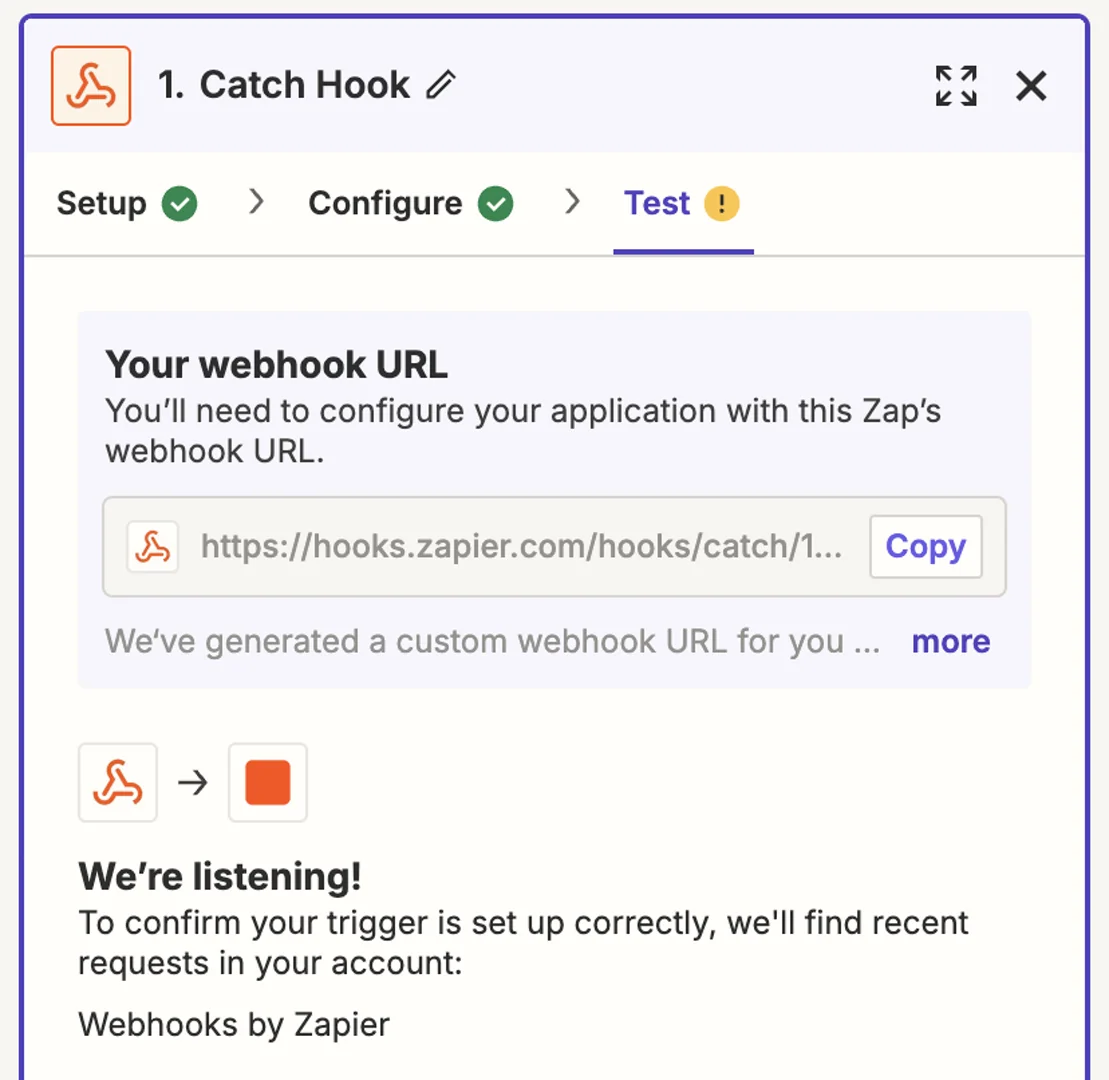
In Zapier, create a new Zap. Choose “Webhooks by Zapier” as your trigger app. Select “Catch Hook” as the trigger event.
-
Copy the webhook URL
Zapier generates a unique webhook URL. Copy the entire URL including the
https://prefix. -
Paste in Gatsby
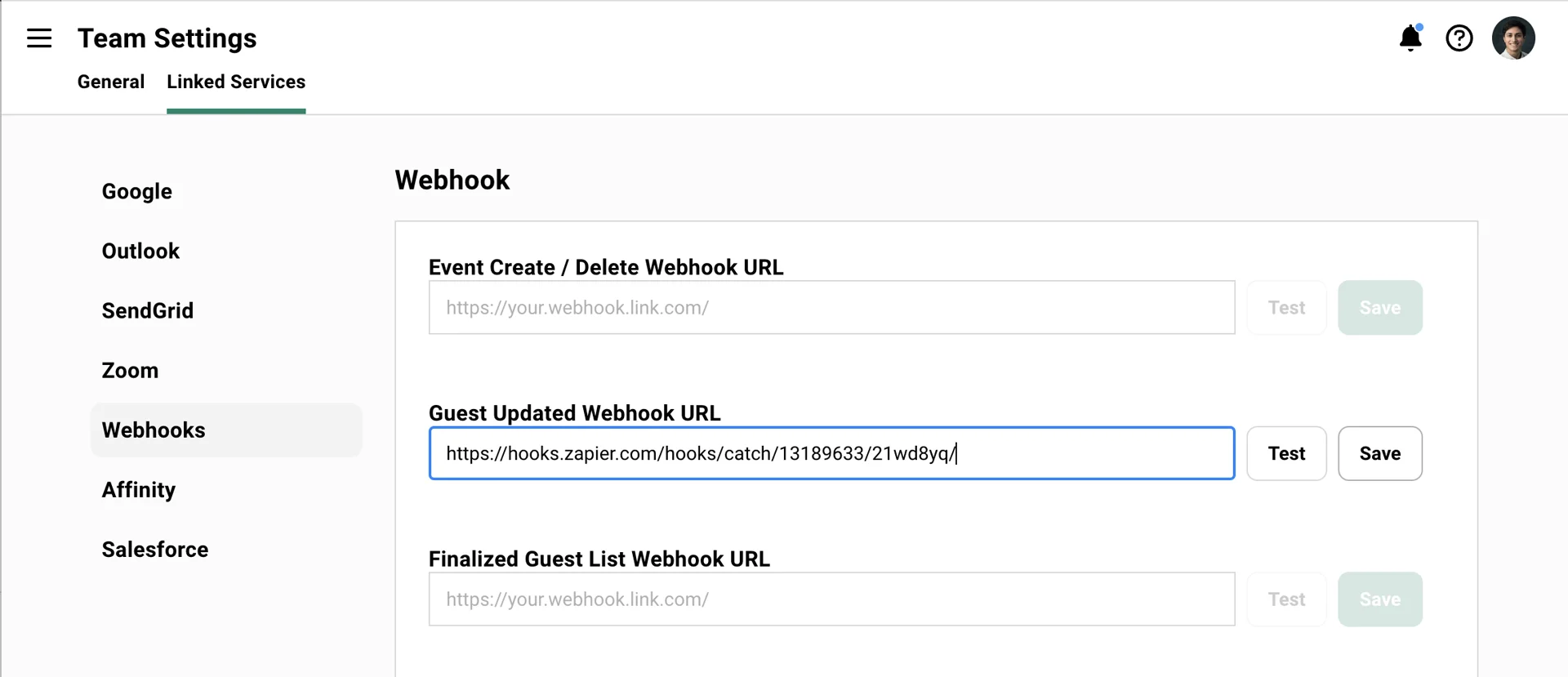
Go to Settings > Integrations > Webhooks. Paste your webhook URL into the appropriate field. For CRM sync, use “Guest Updated Webhook URL” since it captures RSVP changes and new registrations.
-
Test the connection
Click Save, then click Test in Gatsby. You should see a “Webhook reachable” confirmation.
-
Send real data
Add a guest to any event or update an existing RSVP. Zapier needs actual data to map field names in the next step.
Verify it worked
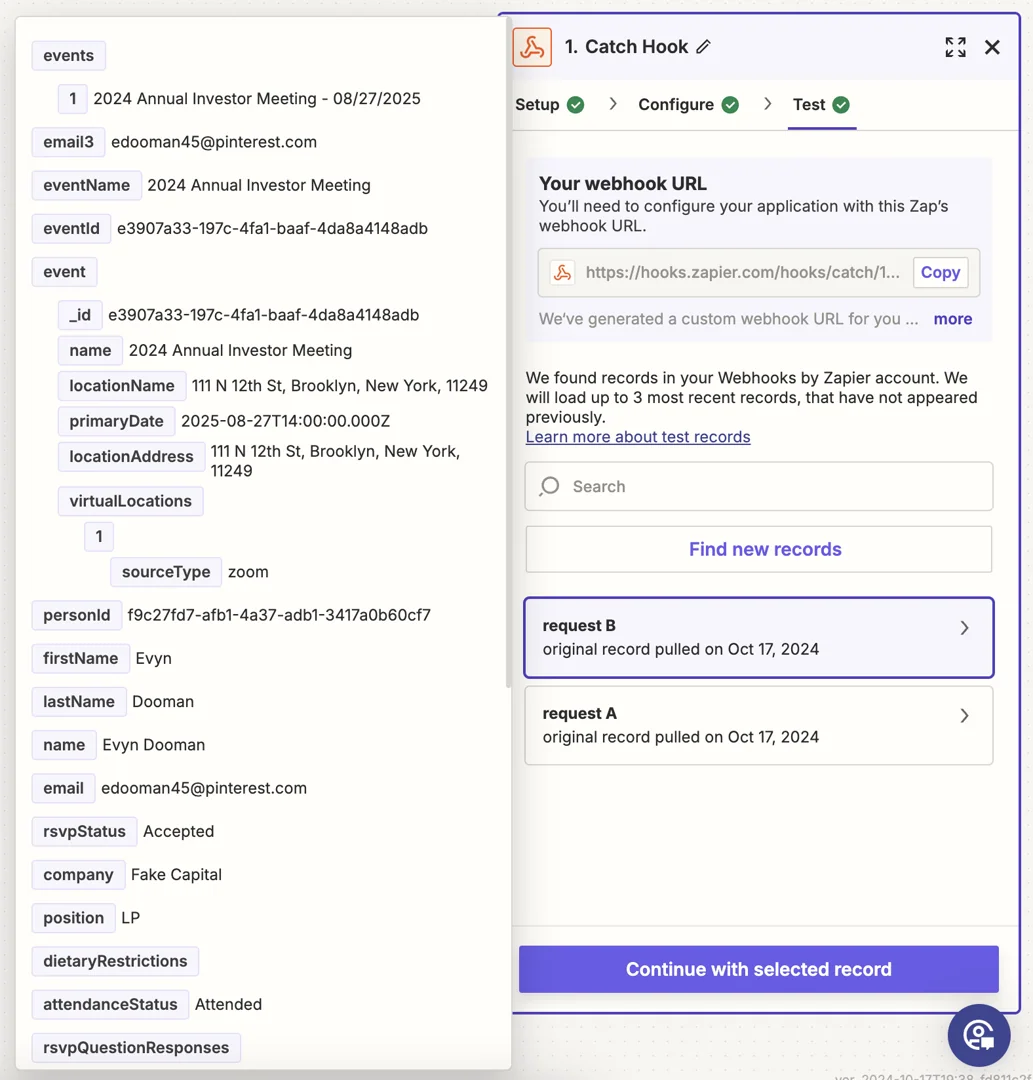
In Zapier, click “Test trigger.” You should see “We found a request!” with fields like Email, First Name, Last Name, Company, RSVP Status, and Event Name.
If nothing appears, make sure you triggered an actual guest change in Gatsby after setting up the connection. The test only works with real webhook events.
The Pattern
Section titled “The Pattern”Email is the primary identifier in Gatsby. Using email as your matching field prevents duplicate records when the same guest appears across multiple events.
Each webhook includes event details, so you can log each event as a separate activity, update a “last event attended” field, or build a complete event history depending on your destination.
HubSpot
-
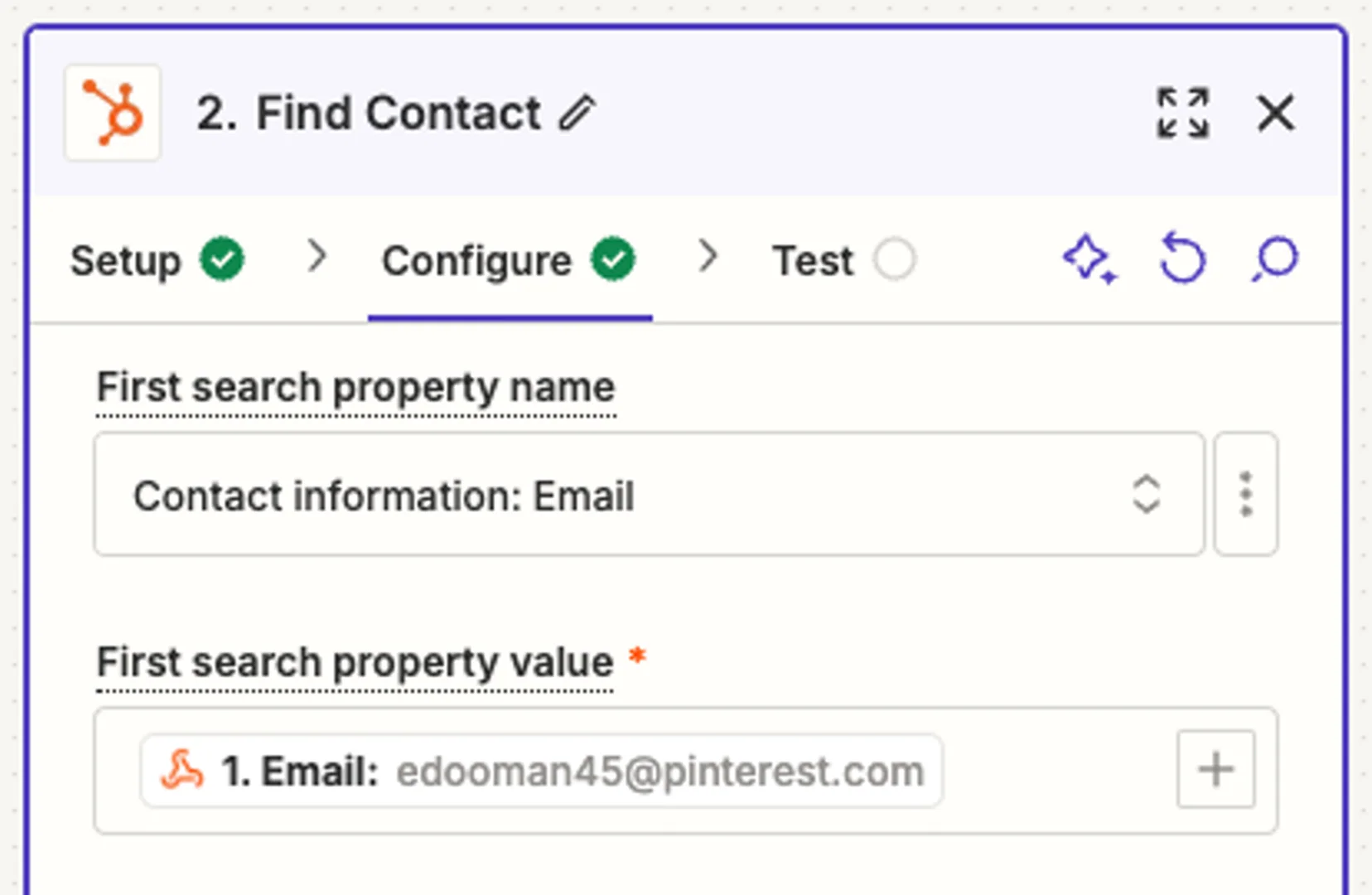
After your webhook trigger, add a HubSpot action. Choose “Create or Update Contact.”
-
Connect your HubSpot account and grant Zapier permission to manage contacts.
-
Set email as the field to search for existing contacts. Enable “Create contact if it does not exist.”
-
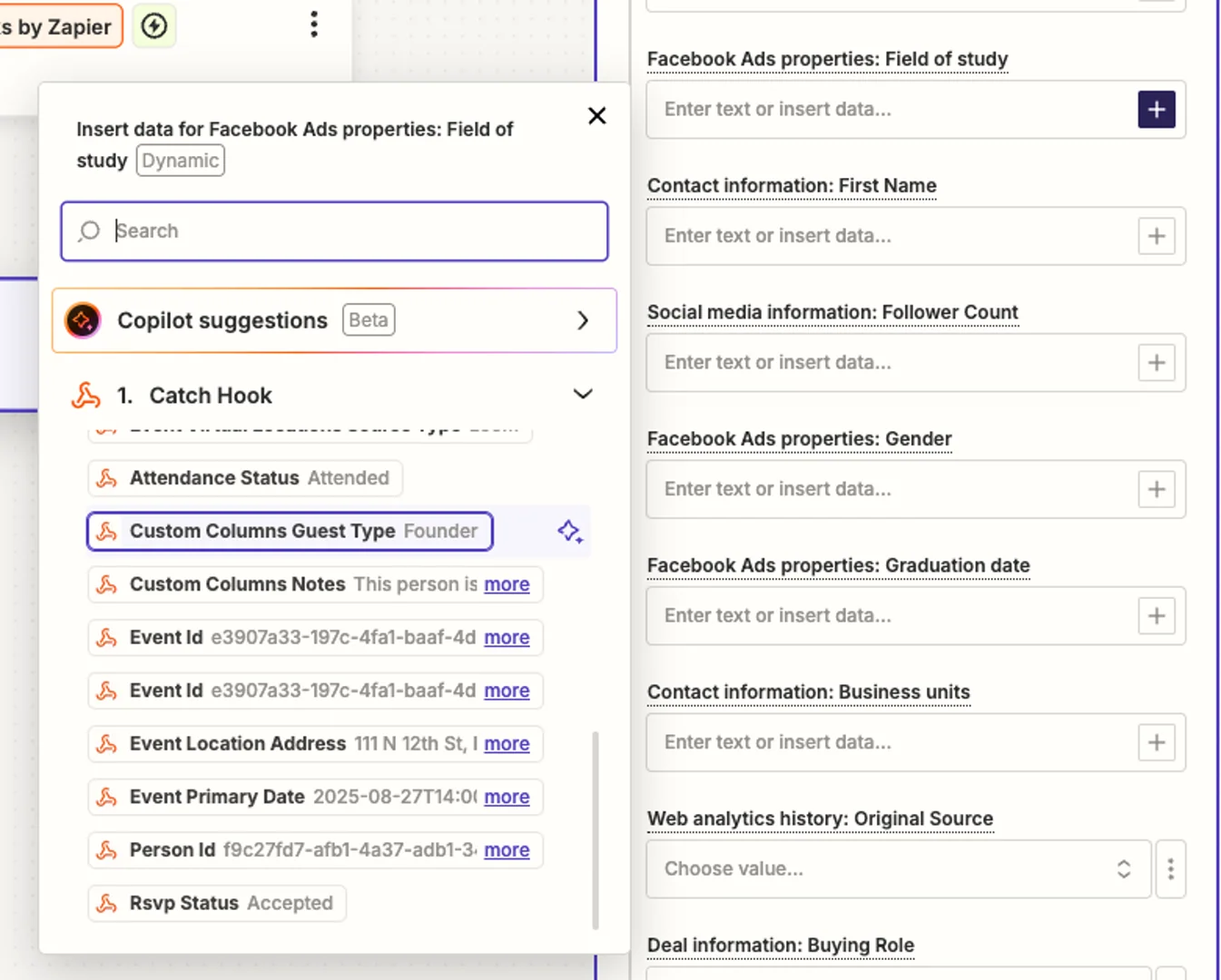
Map Gatsby fields to HubSpot properties: First Name, Last Name, Company, and any custom properties like Event Name or RSVP Status.
Tip: Create a custom HubSpot property for “Events Attended” or use Timeline Events to log each registration separately. This builds a history of each contact’s event engagement.
Airtable
-
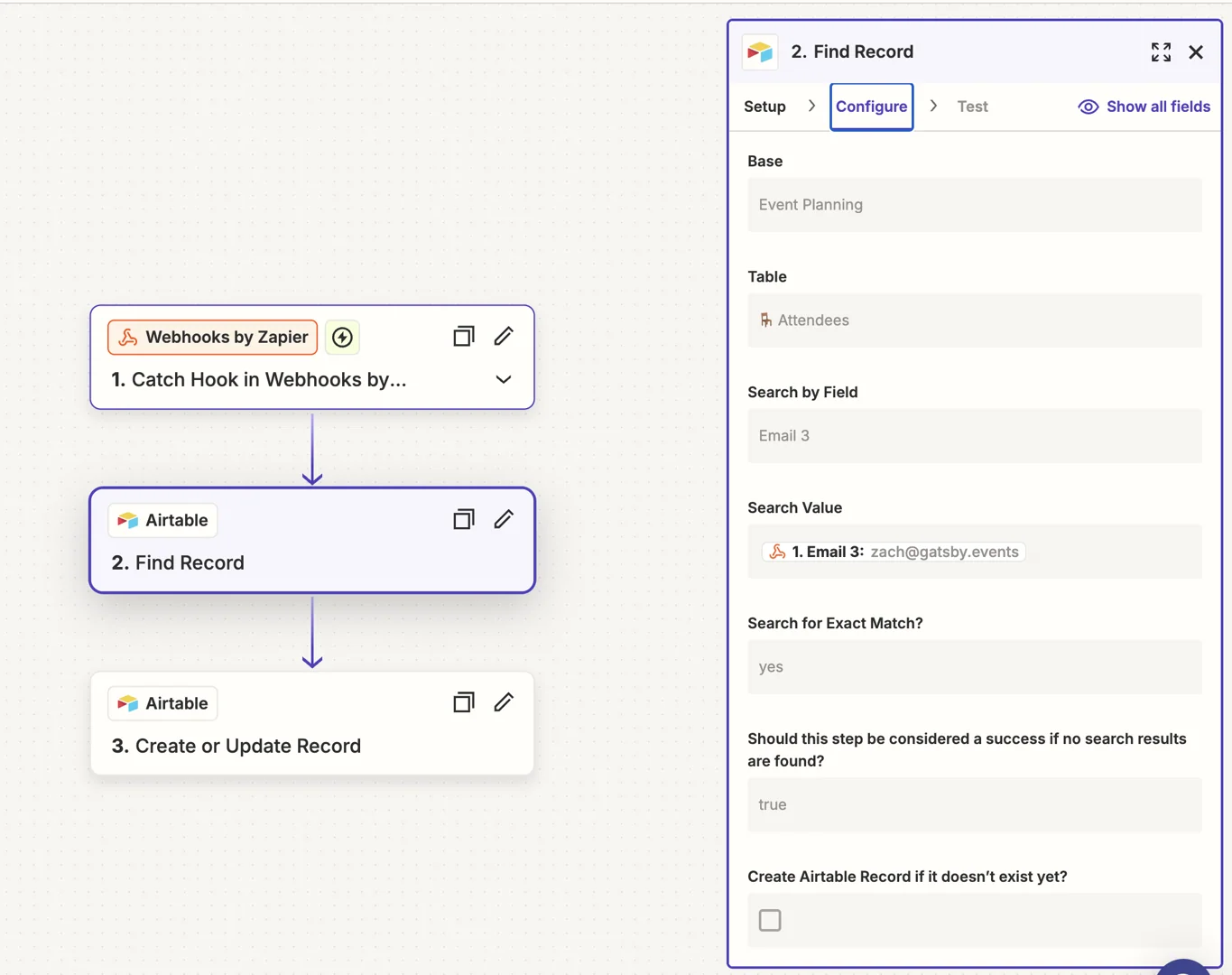
Add an Airtable “Find Record” action. Search by email to check if the person already exists in your base.
-
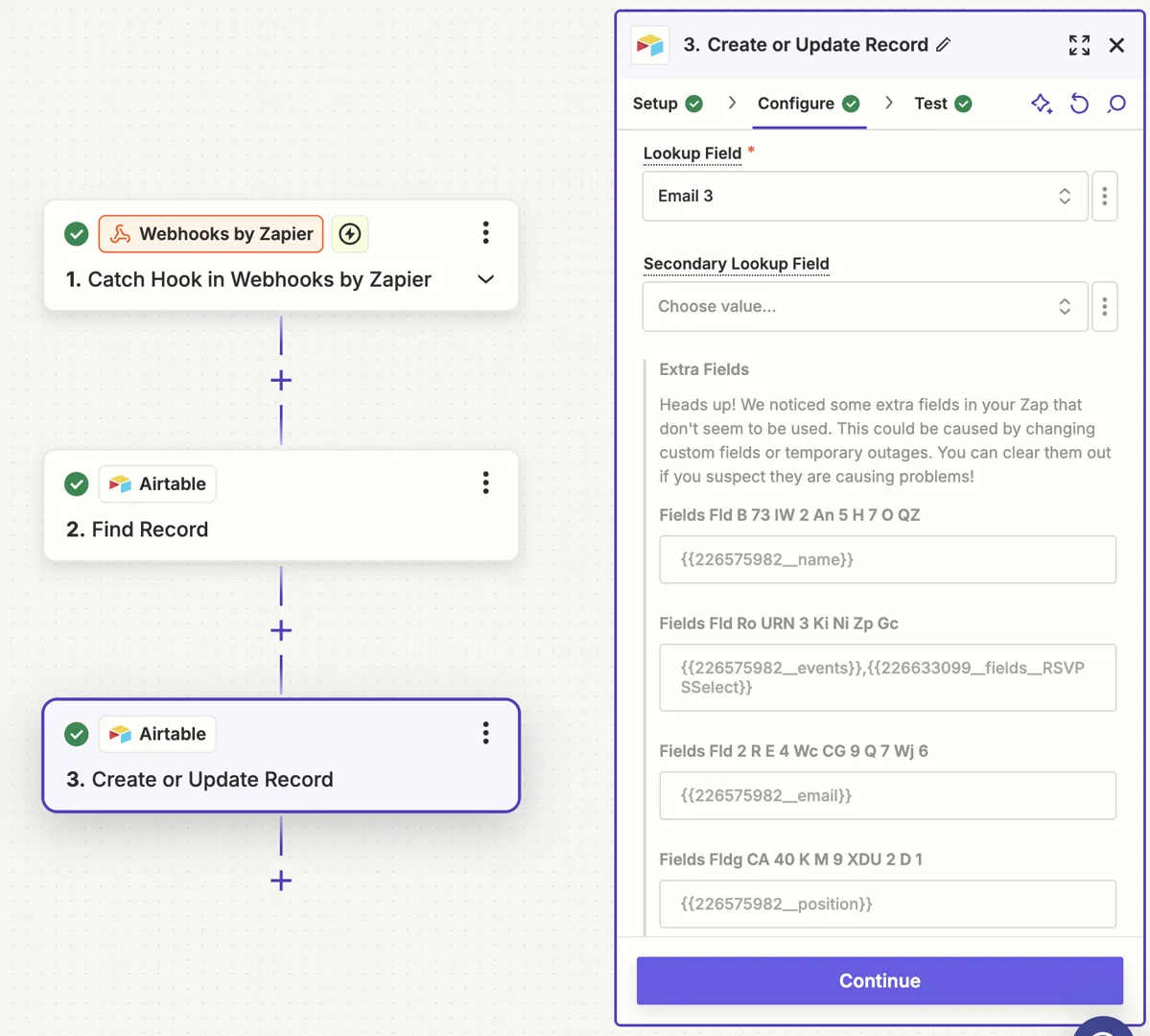
Add an Airtable “Create or Update Record” action. Use email as your lookup field.
-
Map Gatsby data to Airtable columns: Name, Email, Company, RSVP Status, Event Name, Event Date.
Tip: Create a linked “Events” table where each row represents one person at one event. Link to a People table for the master contact record. This lets you query by person or by event.
Other destinations
The same pattern works for Salesforce, Pipedrive, Copper, Attio, Notion, Monday, Slack, and anything else Zapier connects to. Search by email, create or update, map fields.
Common Questions
Section titled “Common Questions” What data comes through the webhook?
Guest webhooks include: name, email, company, RSVP status, attendance status, custom field responses, plus event details like name, date, and location.
How fast do webhooks fire?
Within seconds of the action in Gatsby. If you’re not seeing data, check your Zapier task history for errors.
How do I prevent duplicate records?
Use email as your matching field in the destination app. Configure your action to “create or update” rather than just “create.” This finds existing records before creating new ones.
My webhook shows as unreachable
Check that you copied the complete URL including https://. Verify your Zapier plan includes webhooks. Try generating a new webhook URL in Zapier.
Does Gatsby have an API?
Yes. The API supports bidirectional data flow, including pulling data into Gatsby. Contact support for API documentation and access.
How do I enable webhooks?
Contact Gatsby support. Webhooks may need to be enabled for your account before the settings appear.